Connections and API keys
For your first backtest, follow Start with AI Researcher. Create the credentials needed for the services you use.
Credentials by workflow
| Workflow | Credential or access | Where to configure it |
|---|---|---|
| AI Researcher connecting to FundPro | MesoSim API key, also used by Q-API | Local ~/.env.mesosim file |
| Codex or Claude desktop app | Access to your selected AI application | In that application |
| Metabase's built-in AI agent | Your own AI provider API key | See Metabot key requirements |
| MesoLive APIs | Separate MesoLive API key | Your live-trading integration |
A MesoLive key is needed when you use MesoLive APIs. The Metabase provider key enables its AI features; ordinary queries and dashboards remain available without it. Neither key is required to run your first backtest with AI Researcher.
For Metabase provider choices and key requirements, see Explore results with Metabot.
Generate a service API key
Open the key-management page for the service you want to use:
- MesoSim and Q-API: MesoSim API Keys
- MesoLive APIs: MesoLive API Keys
Then follow these steps in the selected portal:
- Click on New API Key.

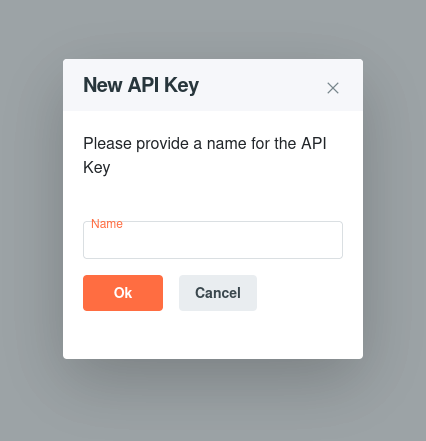
- Provide a name for your API key and click OK.
- Copy and save your API key.
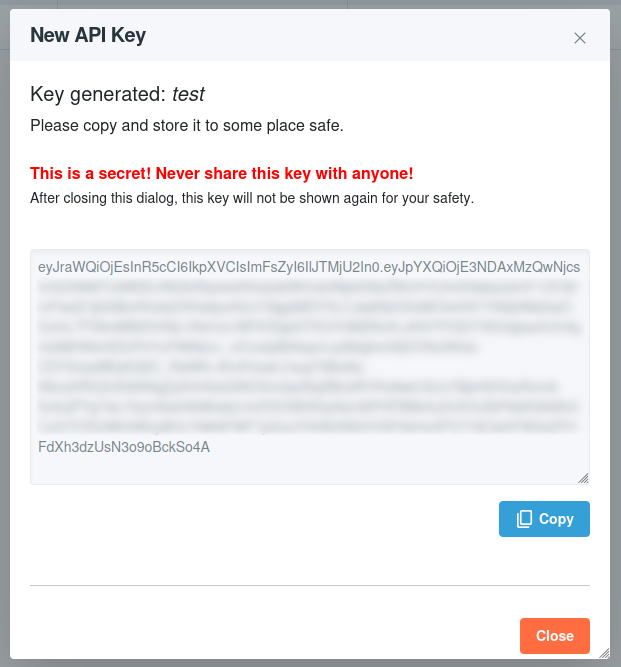
Your API key is like a password. Keep it secure and do not share it. For security reasons the API key expires after 6 months.
Connect AI Researcher
Ask “Use AI Researcher to check my setup,” then enter the MesoSim key in the local ~/.env.mesosim file prepared by the setup tool. Follow the connection instructions for the portal origin and workspace. Keep credentials out of chat and strategy files.
Connection troubleshooting
- Wrong instance:
MESOSIM_INSTANCEmust be your FundPro portal's HTTPS origin, without/apior another path. - Authentication failure: check that you supplied a MesoSim key rather than a MesoLive or AI provider key. If the service key has expired, generate a replacement and update the local configuration.
- Configuration changes not picked up: reconnect the plugin or start a new task or conversation after saving
~/.env.mesosim. - Remote or WSL setup: edit the file in the home directory of the environment running the plugin.
Repeat “Use AI Researcher to check my setup” after correcting the connection. Contact Support if the problem persists; do not include your API key in the message.