Google Colab
Google Colab is an optional notebook environment for inspecting and customizing Python workflows. For backtesting and access to Merlin and Q-API, start with AI Researcher.
The example notebooks remain available as reference implementations for custom analysis and integrations. Use this page when you want to work directly with a notebook.
Accessing Google Colab
Visit Google Colab and sign in with your Google account. Runtime availability and limits depend on your plan and resource availability; see the Colab FAQ.
A local runtime can also be used when you want the notebook to execute in your own environment.
Using Gemini in Google Colab
Google Colab is integrated with Gemini, providing AI-powered assistance for coding. You can use Gemini for code generation, debugging, and explanations.
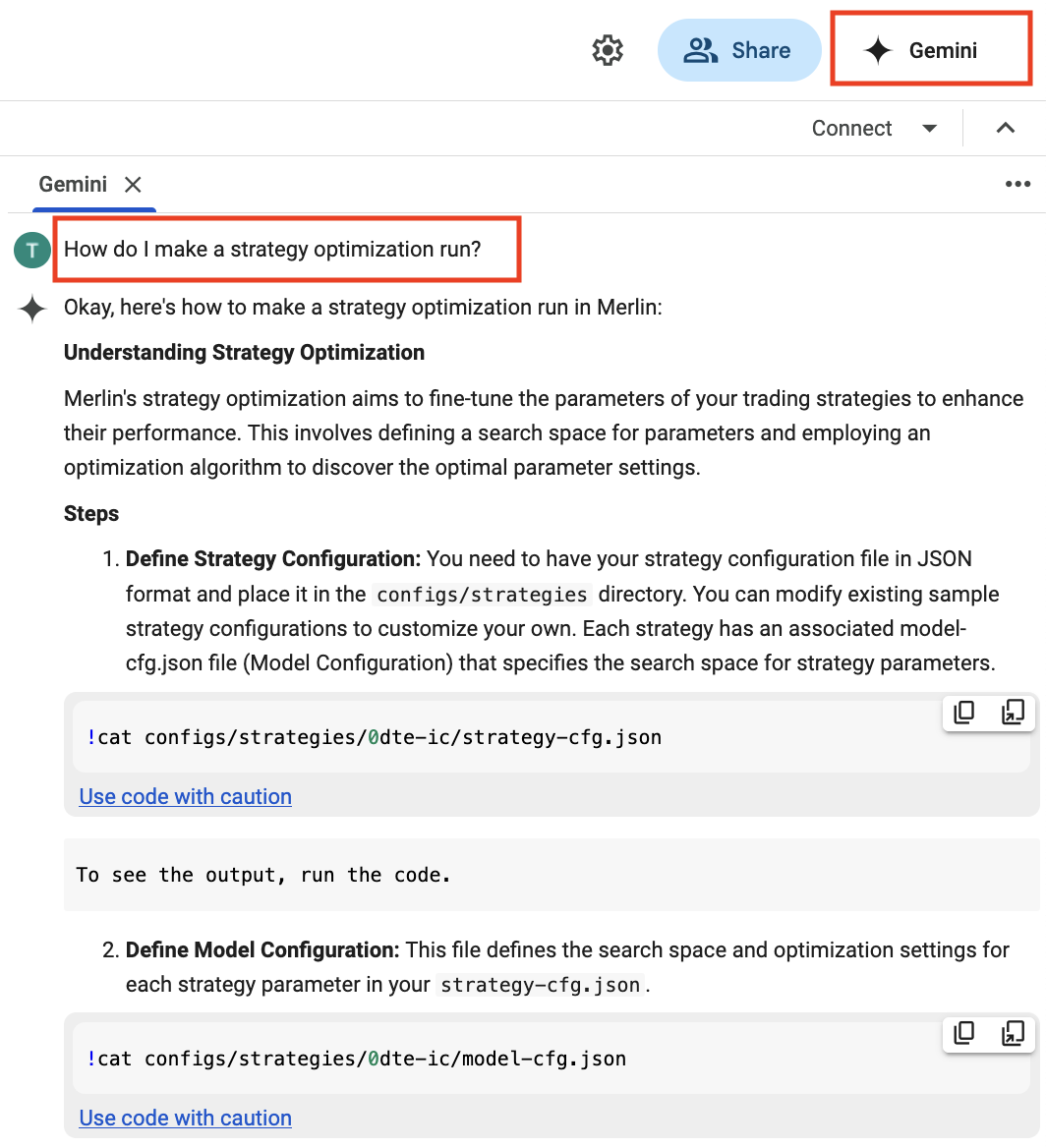
1. Via the Gemini Sidebar
- Click the Gemini icon next to your profile (top-right corner).
- Ask questions, request code fixes, or get explanations.
2. Via the Code Cell "Generate" Button
- In a new code cell, click the "Generate" button.
- Enter a prompt (e.g.,
"Re-run the backtest and show pos_vega over time.").
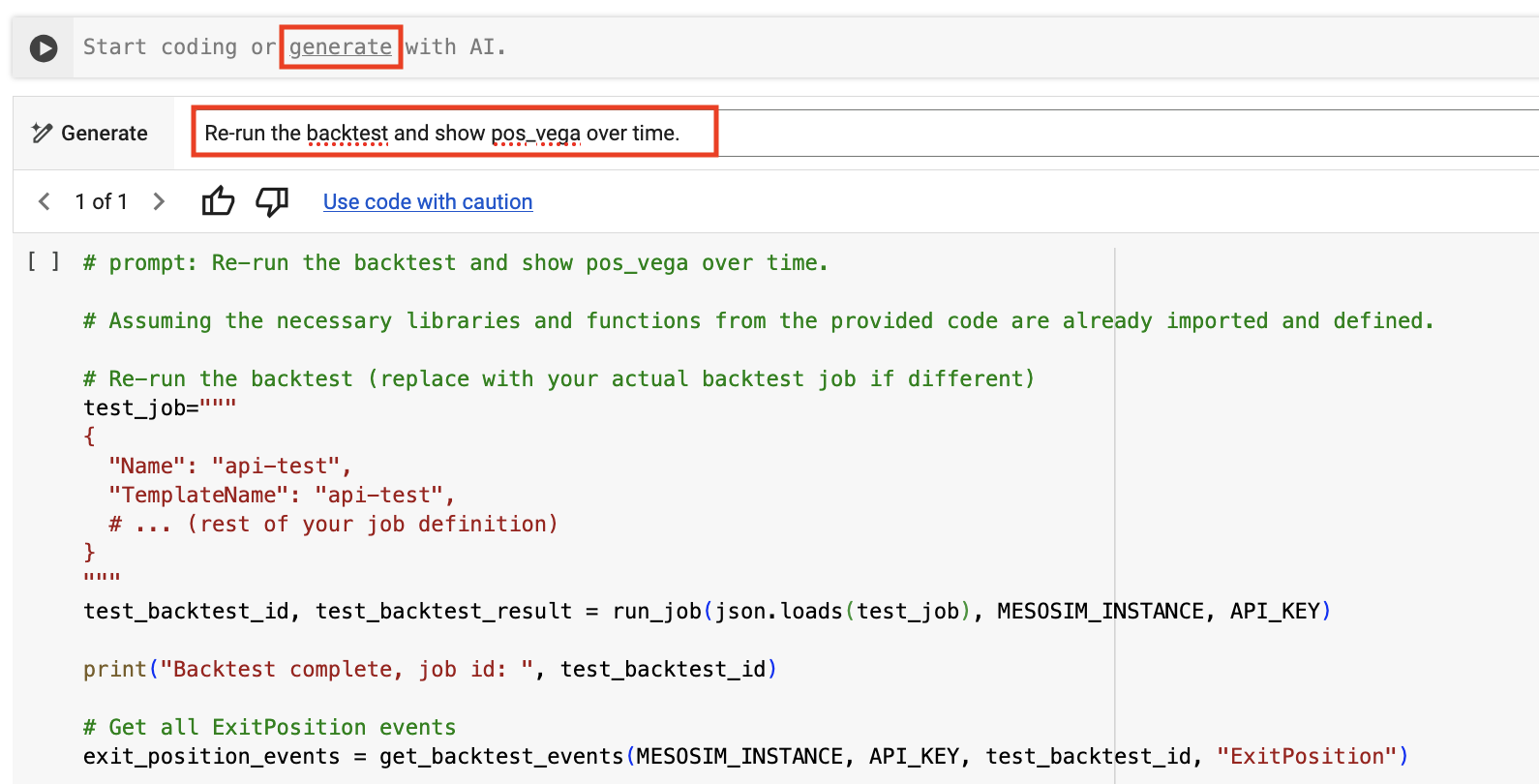
- Gemini will generate and insert relevant code.
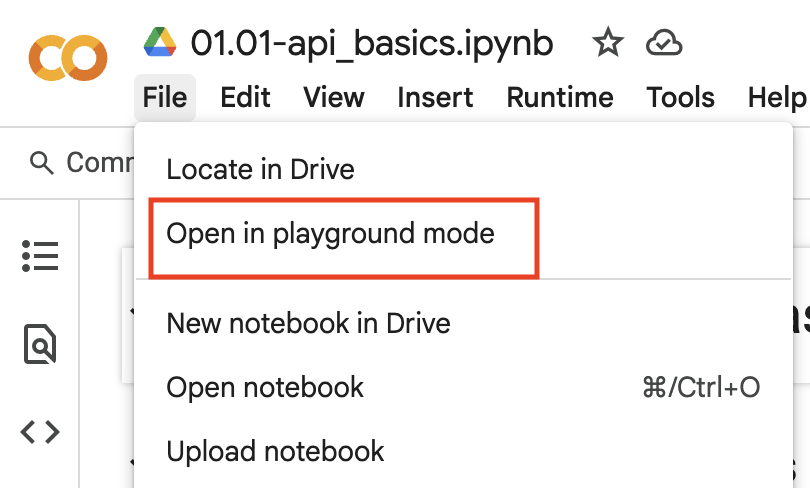
Playground Mode
Playground Mode allows you to make ephemeral changes to the notebook without affecting the original code. This feature works also with notebooks shared with you, allowing you to experiment without the need to make a copy first. If you would like to save your changes, you can create a copy of the notebook later.