Notebooks
These notebooks document MesoSim, Q-API, and Merlin workflows for users who want to inspect or customize their Python implementation. For research and backtesting, use AI Researcher as the entry point to these services.
Start from a research question
Many notebook examples correspond to requests you can make through AI Researcher:
| Notebook topic | AI Researcher starting point |
|---|---|
| Basic backtest operations | Run your first backtest |
| Options analytics and comparing runs | Investigate results |
| Sensitivity and grid-search examples | Ask AI Researcher to propose a bounded comparison of the selected parameters against your baseline |
| Merlin predictor discovery and strategy optimization | Use Merlin for strategy research |
| Portfolio analysis | Use Q-API for quantitative analysis |
For custom notebook work, make a copy and open it in Colab. The installation steps below apply to notebook sessions.
Installation
Installation Steps
The notebooks rely on Merlin while accessing MesoSim and Q-API, therefore, Merlin must be installed in each notebook session. Installation of Merlin can be done using Google Drive or GitHub.
For convenience and ease of access, we recommend using Google Drive using this shared folder.
During your on-boarding process, you will be provided with the necessary access to the shared folder. If you do not have access, please contact us via the Support page.
During the installation process, you will:
- Create a shortcut to the
deltaray-software-releasesunder your Google Drive - Mount the Google Drive to the Colab environment
- Install Merlin using the provided package (wheel) file
Create Shortcut
Open Google Drive and navigate to "Shared with me".
-
Right-click on the "deltaray-software-releases" folder and select
Organize / Add Shortcut.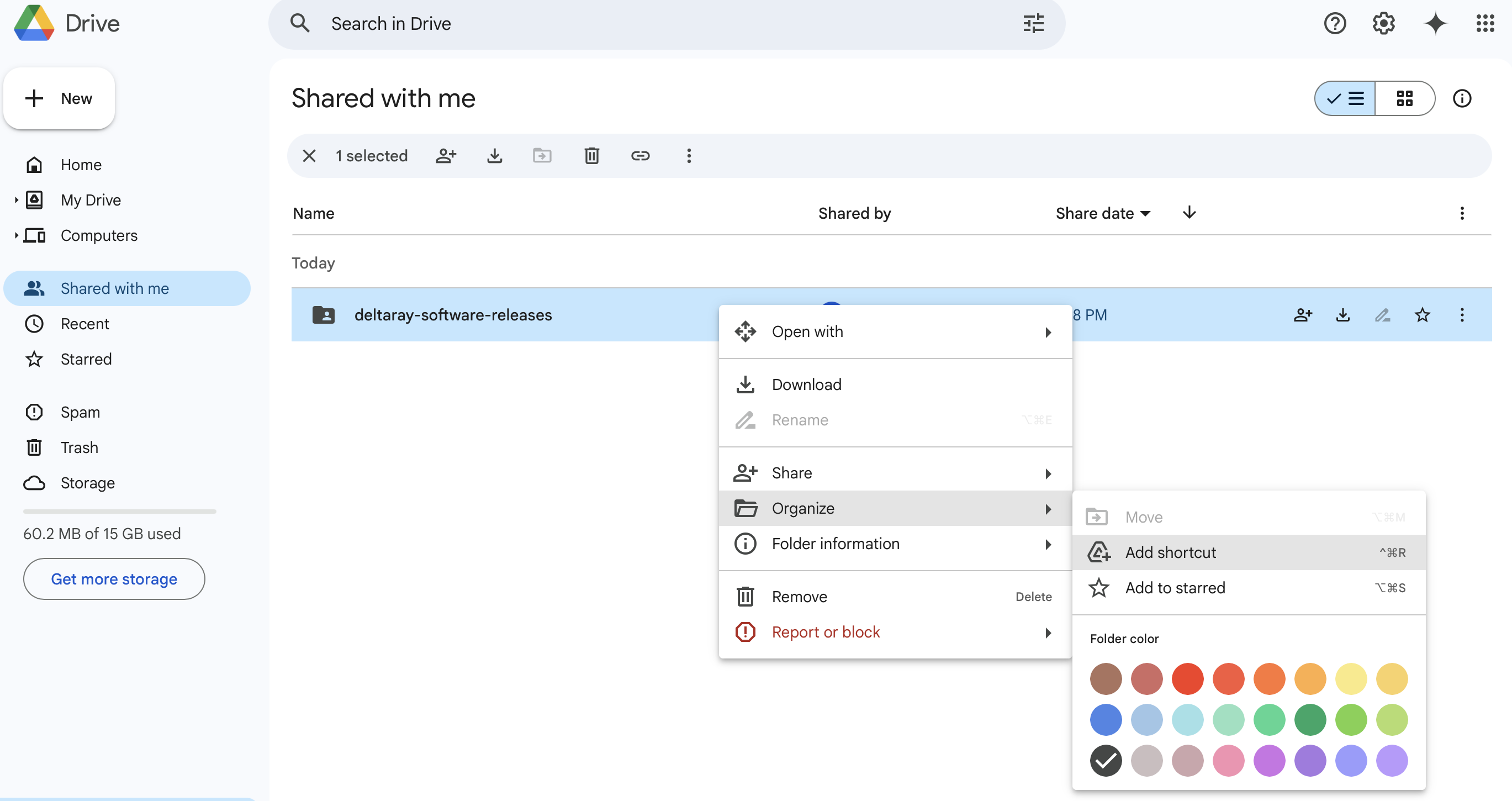
-
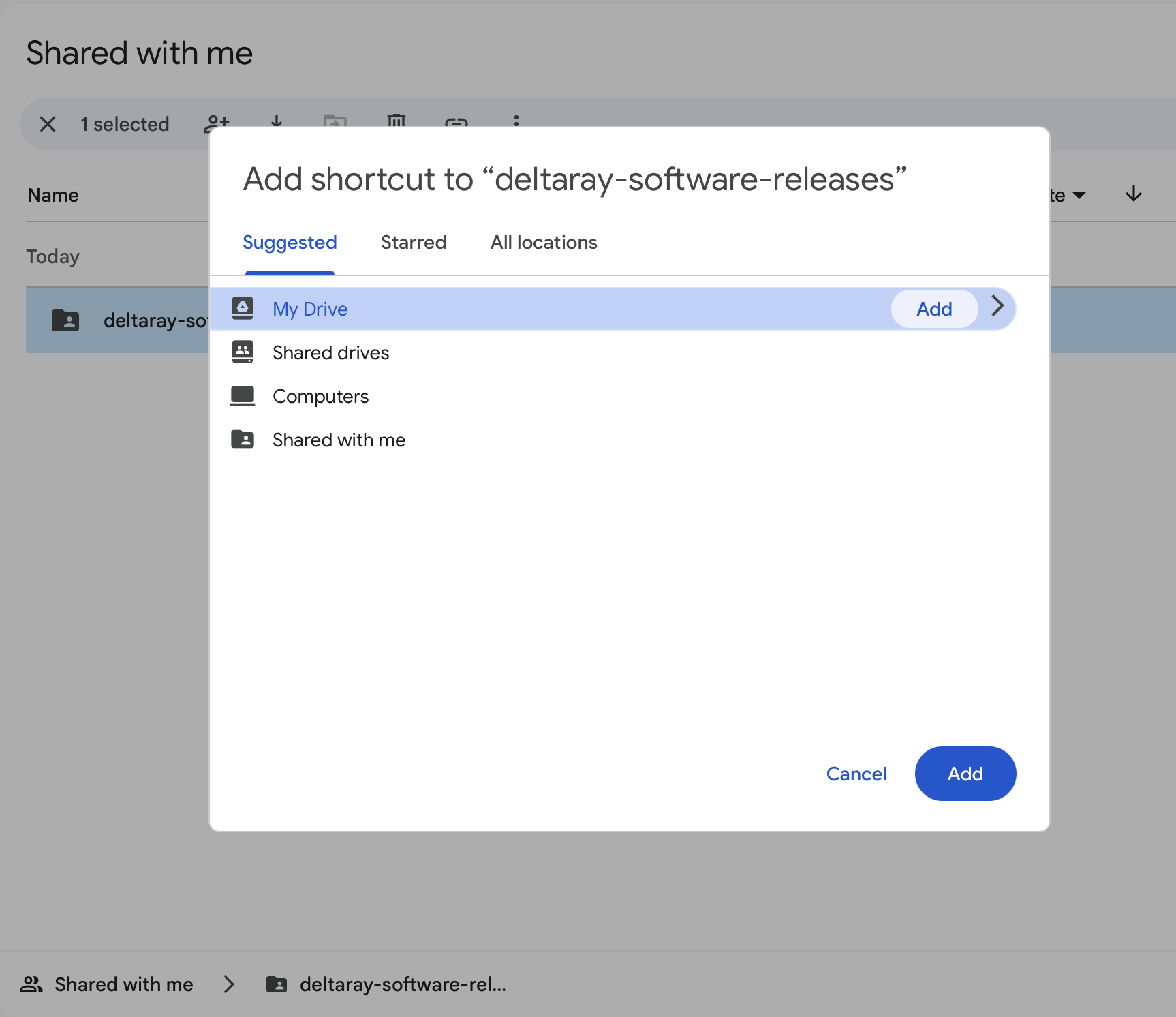
Select 'My Drive' and click 'Add'.
-
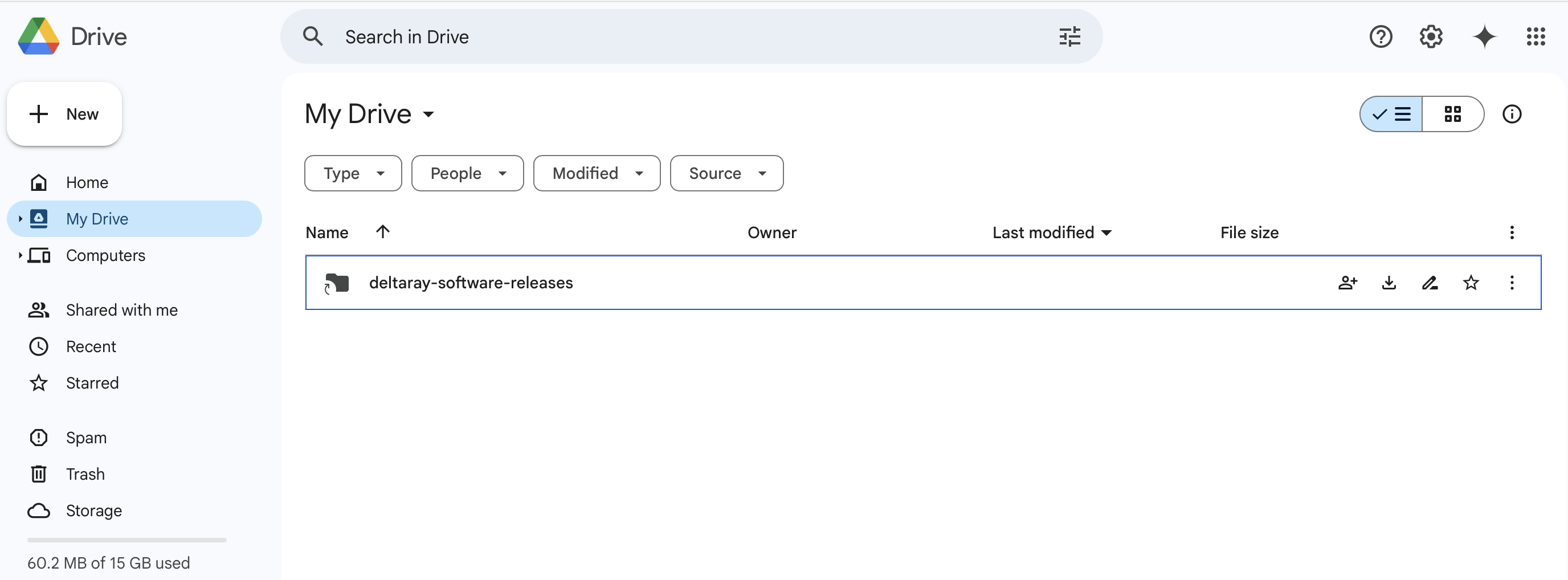
Validate that "deltaray-software-releases" is now available in "My Drive".
Use it from Colab
During the first use in Colab, Google will ask for permission to access your Google Drive.
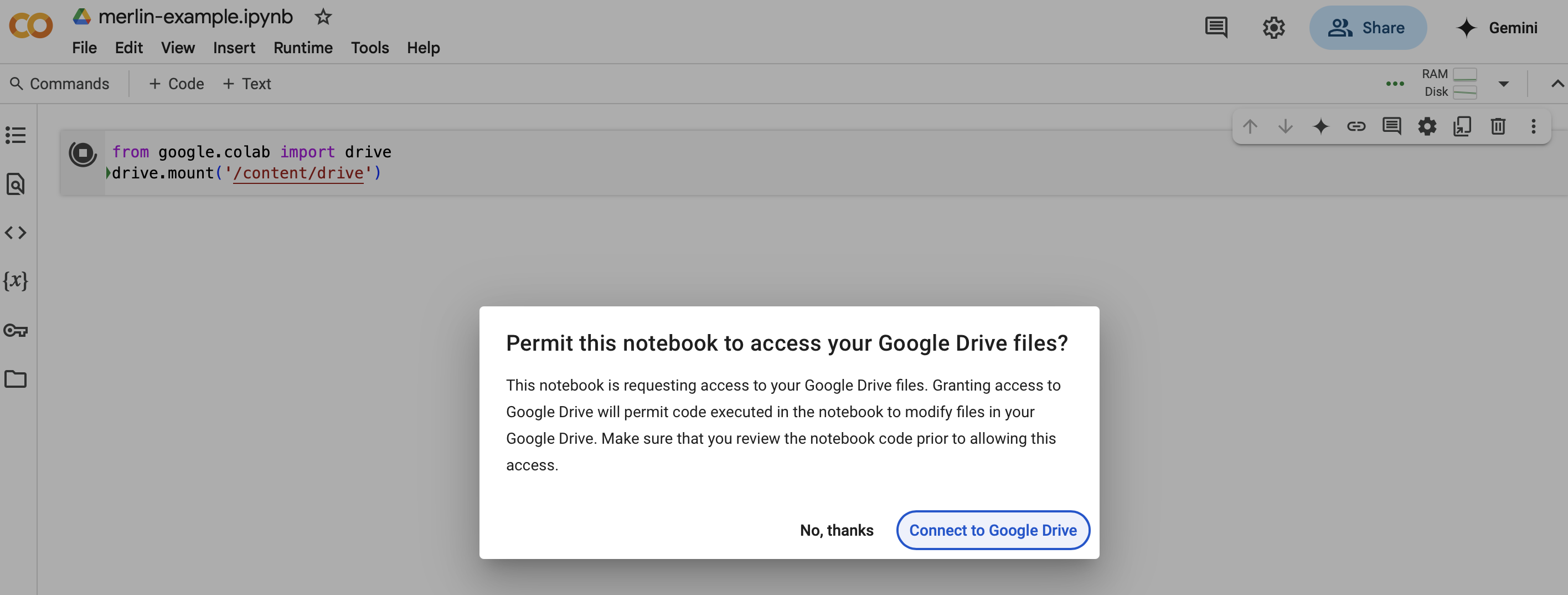
You need to accept all permissions to proceed:
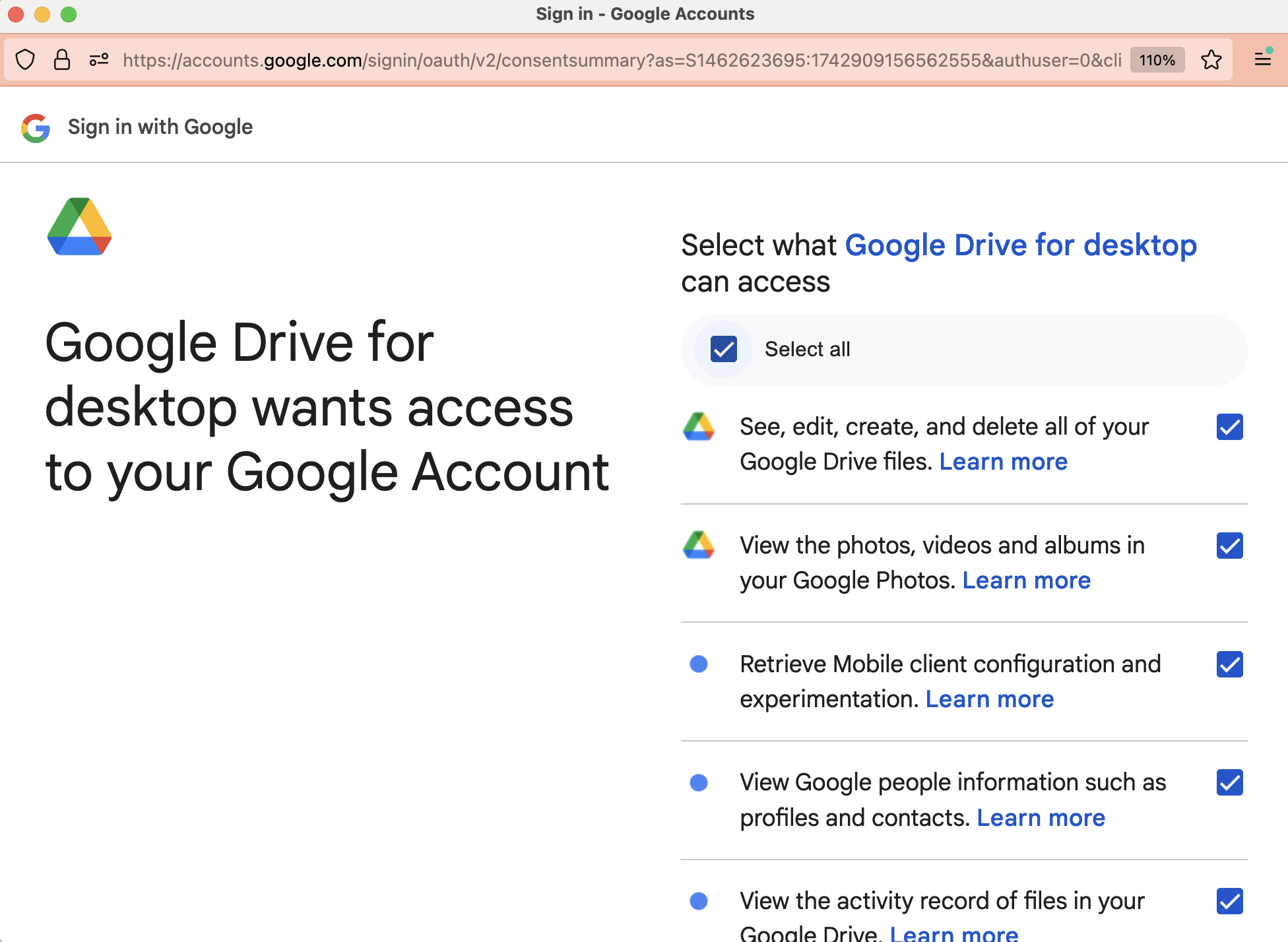
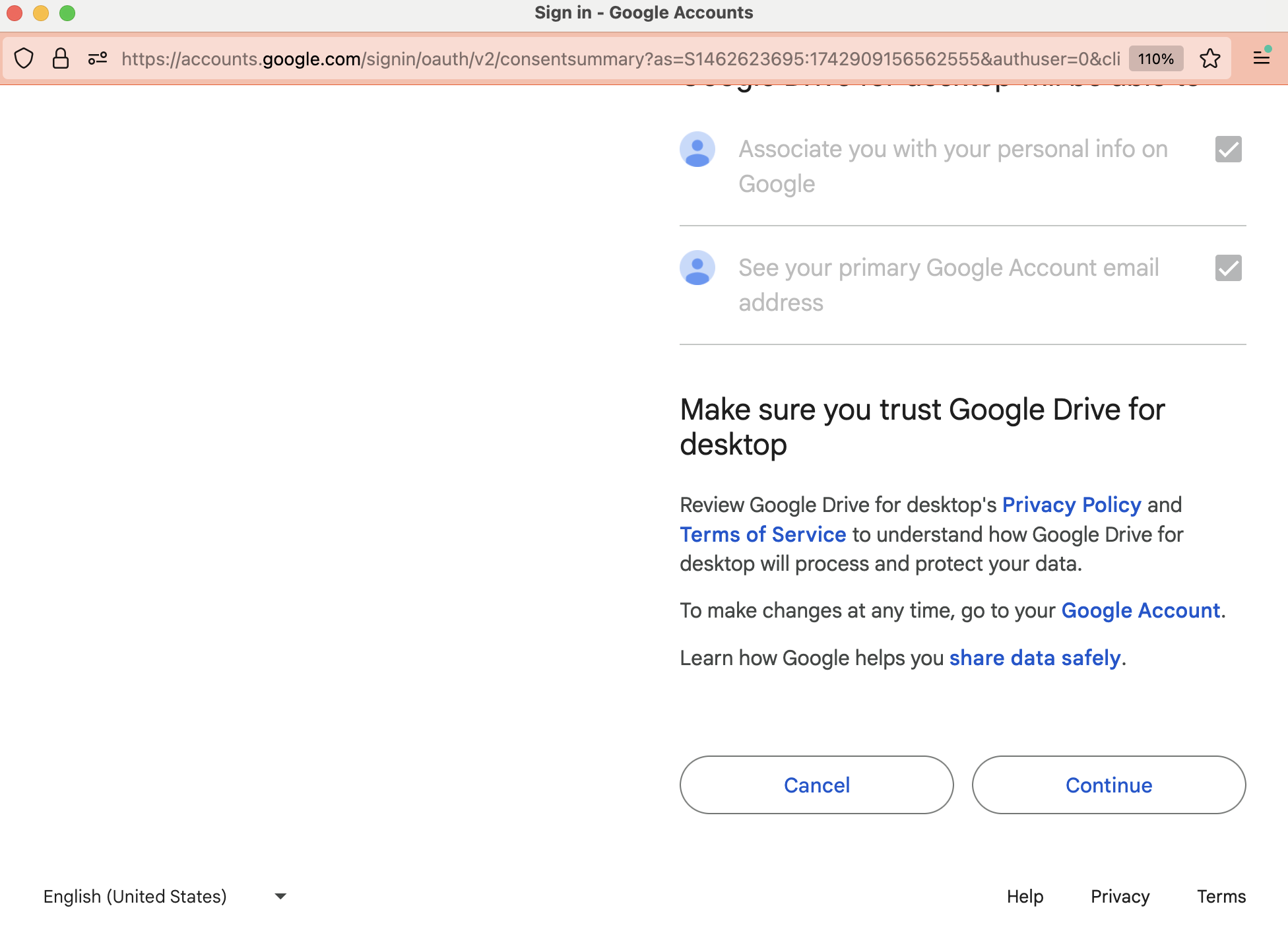
Once done, you will be able to attach your drive to the Colab environment and install Merlin.
Notebook list
The current set of notebooks is available via Resources → Software Releases in the top navigation bar.
| Name | Description | Colab Link |
|---|---|---|
| MesoSim API Samples: Basic Operations | Learn how to create and manage backtests, retrieve events, and analyze results with MesoSim API | Link |
| MesoSim API Samples: Options Analytics | Set up a backtest, load event data into a DataFrame, and analyze results with scatter and quantile plots. | Link |
| MesoSim API Samples: Space Management | Free up space on the cluster by deleting backtests using the API. | Link |
| Sensitivity Analysis: MonteCarlo-like analysis with randomized Entries | Run a Monte Carlo analysis on NetZero trades with random entries. Compare NAV/Equity curves. | Link |
| Sensitivity Analysis: Using Grid Search to identify stable ranges | Analyze trade sensitivity using grid search over Delta and Expiration ranges. | Link |
| Trade Exploration using Genetic Optimization | Find high-performing trades in a large search-space using Genetic Algorithms. | Link |
| MesoSim and Q-API: Continuous backtest of Portfolio | Build a portfolio using three strategies with Mean Variance Optimization. | Link |
| Merlin: Strategy Optimization | Showcasing Merlin's Predictor Discover and Strategy Optimization features. | Link |
| Merlin: Portfolio Optimization | Portfolio Build using Optimized Strategies with Merlin | Link |