Space Management
You can monitor disk usage at your MesoSim Portal's Disk Usage page.

Managing Space by Deleting Backtests
To free up space, backtests should be deleted when they are no longer needed. A practical approach is to delete them immediately after running and reviewing the results, ensuring that unnecessary data doesn't accumulate.
How to Delete a Backtest
1. From the Backtest Details Page
You can delete a backtest directly from its details page:

2. Using the Backtest API
Alternatively, you can delete a backtest using the Backtest API:
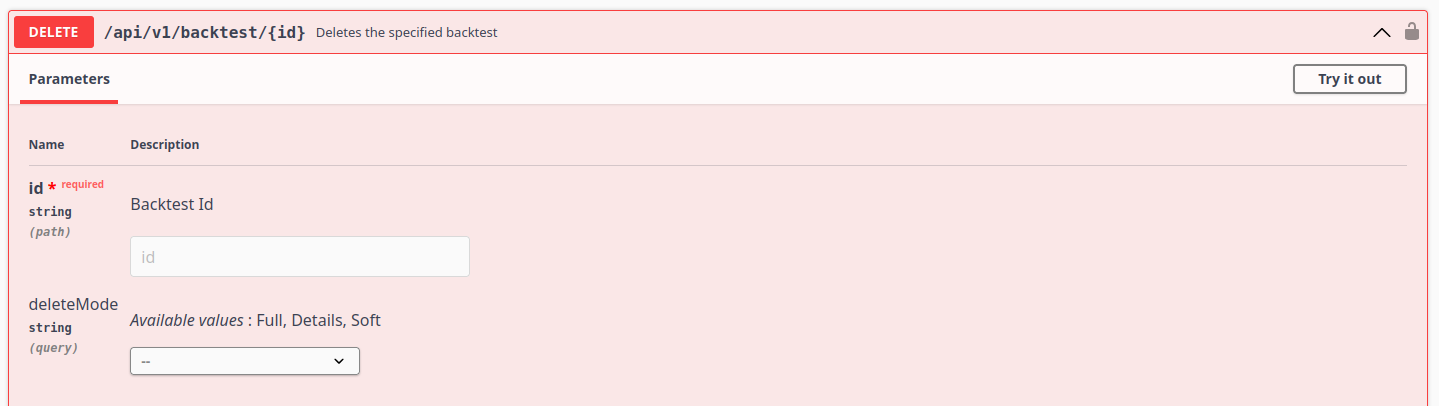
When using the API, you can choose between different deletion modes:
- Soft Delete: Marks the backtest as deleted in the database (DeleteMode is set and DeletedAt is updated), but the data remains intact.
- Details Delete: Marks the backtest as deleted and removes the associated backtest result directory (files related to the backtest).
- Full Delete: Completely removes the backtest from the database, including its records and files.
You can find the Backtest ID in the URL when viewing a specific backtest. It is the unique identifier at the end of the URL.
Example URL format:
https://<portal-domain>/backtests/{backtest_id}
Example with a real ID:
https://<portal-domain>/backtests/03e1991b-7986-4b6c-81fa-fee57ac2530e
Where <portal-domain> is your specific portal domain (e.g., portal.test-lab.mesosim.io)
Extracted Backtest ID:
03e1991b-7986-4b6c-81fa-fee57ac2530e
You can use this Backtest ID for API calls or other management actions.
Make sure to select the appropriate deletion mode based on your needs.
Please check out the Space Management notebook for more details on how to delete backtests using the API.